
Introduction
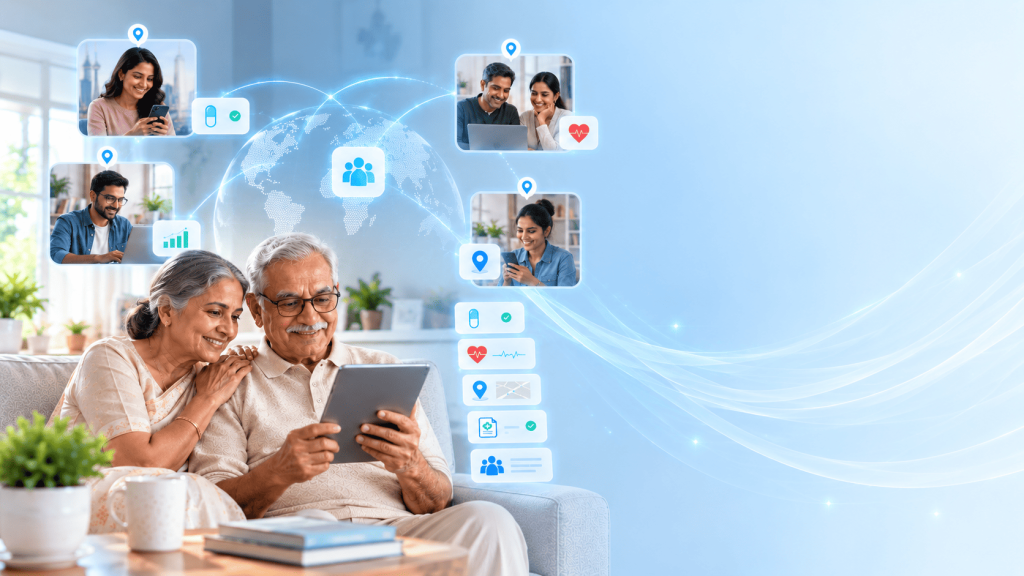
A family caregiver app lets multiple family members share visibility into an aging parent’s care, medication, and daily well-being instead of relying on one person to relay everything. It replaces scattered group chats and duplicated phone calls with shared updates, assigned responsibilities, and alerts everyone receives at the same time.
Ask any family with more than one adult child how caregiving actually gets divided, and the honest answer is usually “unevenly.” One sibling ends up fielding the doctor’s calls. Another checks in occasionally and means well. A third lives too far to do much beyond sending money or asking “how’s Mom doing” in a group chat nobody has time to fully answer. This isn’t a character flaw in any one person. It’s what happens when five people are relying on memory and goodwill to coordinate something that actually needs a system.
A family caregiver app exists for exactly that gap, the space between everyone caring and everyone actually knowing what’s going on.
What Is a Family Caregiver App?
A family caregiver app is a shared platform where multiple relatives, not just one primary caregiver, can see and manage an aging parent’s care together. Instead of one person acting as the human relay between a parent, their doctors, and the rest of the family, the app becomes the shared record everyone checks.
This matters because most caregiving situations aren’t actually one-to-one.
They involve a parent, plus two or three adult children, plus sometimes a spouse or a local relative who helps with day-to-day tasks. A caregiver app for seniors built around that reality gives every one of those people the same information at the same time, rather than filtering it through whoever happens to be on the phone that week.
Why Do Families Need a Caregiver App for Seniors?
The numbers back up what most families already sense but rarely say out loud. In a National Family Caregivers Association survey, 76 percent of caregivers reported not receiving consistent help from other family members, and spouses, the people you’d expect to help most, provided the least support at just 16 percent.
Meanwhile, 37 percent of caregivers said they’d ideally want the responsibility split equally among siblings. Reality and preference don’t match, and the distance between them is where resentment usually starts.
Interestingly, the same research found that 42 percent of caregivers describe the experience as stressful but manageable specifically when communication is clear. That’s a meaningful detail. It suggests the problem often isn’t the caregiving itself, it’s the coordination around it. Families don’t need everyone to do an equal share of the physical work. They need everyone to know what’s happening, and a caregiver app for seniors is built to solve exactly that, not the workload itself.
What Features Should a Caregiver App for Seniors Include?
A good caregiver app needs to work for more than one user at once, which changes what “good features” actually means.
- Shared, real-time updates. Everyone with access sees the same medication log, health check-in, or SOS alert, not a summary someone typed up later.
- Reminders that don’t rely on memory. Medication schedules and appointment reminders that reach the senior directly, instead of depending on a family member to call and remind them.
- Wellbeing check-ins. Simple daily logs of mood, sleep, and activity that give the whole family a quiet baseline, so a change stands out instead of getting missed.
- Clear alerts. Emergency notifications that go to every guardian at once, not just whoever the senior happened to call first.
- Activity and engagement support. Tools that keep the parent occupied and connected between family visits or calls.
- Multi-guardian roles. The ability for several family members to have appropriate access without one person acting as gatekeeper for everyone else.
None of this replaces a phone call to check in emotionally. What it does is take the logistical weight, who took Dad to the cardiologist, whether Mom’s blood pressure log looks off this week, off the conversation, so the conversation can actually be about the person instead of the paperwork.
How Can an Elderly Monitoring App Help Families?
Monitoring doesn’t mean surveillance, and it isn’t a substitute for a medical diagnosis. An elderly monitoring app, used well, gives families relevant context, not constant observation. A daily check-in showing lower activity than usual, or a mood log that’s trended downward for a week, is useful information. It’s not a verdict, and it’s not a reason to hover.
The goal is informed involvement, not round-the-clock watching.
Families that use monitoring features well tend to check in less anxiously, not more, because the app is already telling them what they’d otherwise call to ask. That’s a very different relationship with technology than the one people usually picture when they hear the word “monitoring.”
How Does Remote Elderly Care Work?
For families with members overseas, this isn’t a minor use case, it’s often the whole reason they’re looking for an app at all. More than half of Indian professionals aged 40 to 55 living outside India are currently caught between aging parents back home and their own households abroad, and India’s population aged 60 and older, already past 138 million, is expected to double by 2050. That’s not a niche problem shrinking over time. It’s a structural one getting bigger.
A remote elderly care app works by turning distance into a data problem instead of an information vacuum. A daughter in Toronto and a son in Pune can both see the same medication log, the same location update, the same SOS status, on the same day, without either one depending on the other to relay it accurately. Time zones stop mattering as much when the information doesn’t require someone awake on the other end to deliver it.
Can a Family Caregiver App Help Multiple Family Members Coordinate Care?
This is the actual test of whether an app deserves the word “family” in front of “caregiver.” A single-user monitoring tool with one login isn’t built for coordination. A real family caregiver app supports several guardians simultaneously, each with visibility into shared tasks, reminders, and updates.
Picture three siblings:
one handles medical appointments, one manages medication logistics, one checks in on mood and daily wellbeing. Without a shared system, each of them is operating on partial information, and the parent ends up repeating the same updates to three different people. With shared access, each sibling sees what the others are doing without needing to ask, and nothing falls through the cracks just because it wasn’t “their” assigned piece that week.
How Can Caregiver Technology Support Senior Independence?
Coordination among family members is only half the equation. The senior at the center of it all still needs to feel like a person being supported, not a case being managed by committee.
Good caregiver technology respects that by making the senior’s participation active, not passive. Logging a daily check-in, choosing to share a mood update, using a companion feature to journal a memory, these are things the senior does, not things done to them. Independence isn’t about withholding help. It’s about the parent retaining a say in how that help shows up, and which pieces of their life stay private even from a well-meaning family circle.
How to Choose the Right Family Caregiver App?
A quick checklist worth going through before committing to any option:
- Privacy. Can the senior control exactly what’s shared, and with whom, rather than defaulting to full visibility for every guardian?
- Accessibility. Is the interface simple enough for an older adult to use daily without frustration?
- Ease of use for guardians too. A shared app that’s confusing for the family members using it defeats the purpose just as much as one that confuses the senior.
- Communication tools. Does it support real coordination between guardians, not just parallel, separate views of the same data?
- Monitoring that respects boundaries. Wellbeing check-ins and alerts, not constant tracking framed as surveillance.
- Personalization. Reminders and check-ins that adapt to the actual person, not a one-size-fits-all senior profile.
- Family connectivity that scales past two people. Built for three siblings and a spouse, not just one caregiver with occasional visitors.
The Care Circle Check
Run any family caregiver app candidate through three questions:
- Visibility.
Does every guardian see the same information, or does one person still have to relay updates to everyone else?
- Division.
Is responsibility actually assigned, medication, appointments, wellbeing, or is it still assumed based on who happens to be free?
- Continuity.
If the primary caregiver is sick, traveling, or simply unavailable for a week, does care keep functioning, or does the whole system depend on one person never stepping away?
Most caregiving doesn’t fail from a lack of love. It fails from a lack of visibility, one sibling doesn’t know what the other already did, and the gap gets mistaken for someone not caring enough. A family caregiver app isn’t for the person doing everything. It’s for making sure everything isn’t landing on one person in the first place.


