
Introduction
Picture a normal Tuesday night in Toronto. Your phone buzzes with a WhatsApp photo from Vadodara: a tablet strip, no message. You know what it means. Mummy wants to check whether this is the one for tonight, and she’d rather send a picture than risk a mistake.
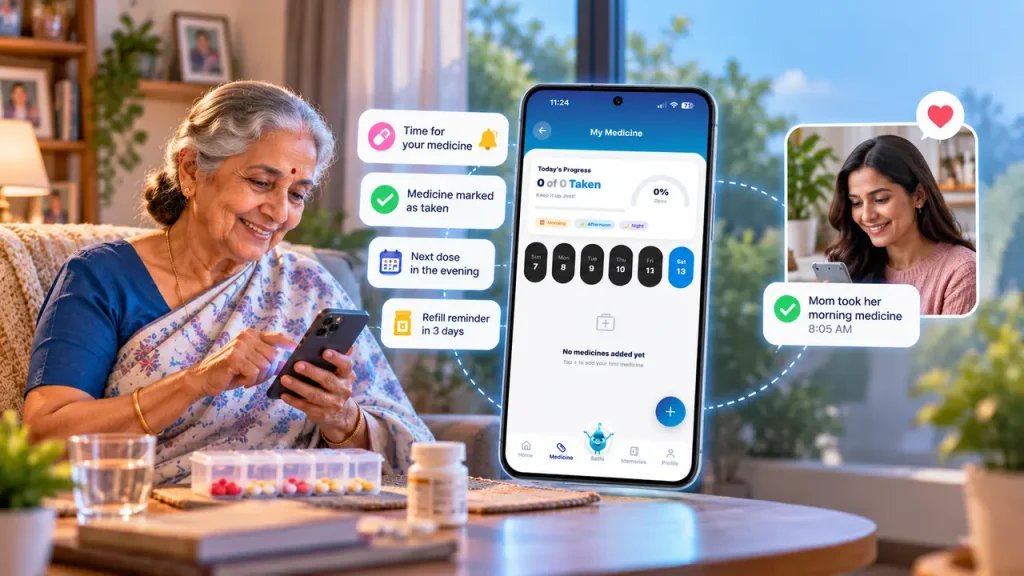
A medicine reminder app schedules each dose, alerts your parent when it is due, records whether it was taken, and tells a connected family member if it was missed. For families living in different cities or countries, that means you can check on medicines without a phone call, and small gaps get caught the same day.
Most families come to this after a scare, not before. A double dose one week. A refill that ran out on a Sunday. Three unanswered calls in a row.
Why parents struggle with medicines even when they try hard
Ask a family what makes medicines hard for an older parent and the first answer is usually forgetfulness. It rarely explains everything. Look at a typical list after a few years of blood pressure, sugar and cholesterol care: five or six medicines, two before food, one after, one only at night, and one the doctor said to skip if the morning reading is low. Most of us would slip up on that.
The World Health Organization says around half of people on long-term treatment don’t take their medicines as prescribed. The gap has less to do with willpower than with how much a person has to hold in their head.
Confusion between look-alike tablets is common too. Refills are worse, because a strip finishes on a Tuesday and nobody knows until Wednesday morning. When the person who normally notices lives eight thousand kilometres away, there’s nobody to notice at all.
A Pharmacy Times review on older adults notes that about 10% of hospitalizations may result from medication nonadherence. A missed dose looks small on the day. Over a year, it adds up.
A skipped dose feels harmless on the day it happens, which is exactly why the pattern goes unnoticed until it becomes a hospital visit.
What a good reminder app actually needs
Plenty of apps beep at 8 a.m. and call that a day’s work. For a parent who takes several medicines, the beep is only the start.
The app needs to hold every medicine with its own timing, since nobody takes everything at once. Reminders have to keep repeating on their own, without anyone resetting them each week. Each dose should get marked as taken, so there’s a record. If a dose is missed, somebody besides your parent should hear about it. Refills need a warning well before the last tablet. And a family member should be able to look, from anywhere, without asking.
One more thing that gets overlooked: it has to be dull to use. Big buttons, one tap, done.
Medication tracking and medication management are not the same job
People use these terms as if they mean one thing. They don’t, and the difference shapes what you should look for.
Medication tracking is the log. Was the dose taken, and at what time? That’s all.
Medication management covers more ground: the schedule, the refill dates, who in the family is watching, what the doctor last changed, and what to do when a dose is missed. Tracking gives you facts. Management is what you do with them, which is usually where families get stuck, because three siblings each assume another one is handling it.
A medication tracking app that only logs doses helps a little. One that also shares the log with the right people helps a lot more.
How the distance gets smaller
Once a schedule is set, the routine mostly runs itself. Your parent gets the reminder on their own phone and taps once. The update reaches you moments later, wherever you are.
There’s a smaller benefit that’s easy to miss. You stop calling at 8 a.m. to ask “did you take your tablets?”, and your parent stops feeling quizzed. Anyone who has done that call every morning for a year knows how much both sides start to dread it.
Health papers stay in one place, too. Blood reports, prescriptions and scans sitting in one app beat a scroll through four months of family chat when a doctor asks for last year’s sugar report.
The UNFPA India Ageing Report 2023 found that nearly one in three older Indians live with an ongoing health condition. For those families, and for the children living abroad, a shared record is a practical need, not a luxury.
One honest limit: an app can only tell you a button was tapped. It can’t see a tablet being swallowed. Some parents also tap “taken” out of habit, or don’t want to be watched. It works best when the parent agrees to it, so have that conversation first.
Choosing a medicine reminder app for seniors
Ignore the feature lists for a moment and test these things instead:
- Can your parent use it alone, without you on the phone walking them through it?
- Do reminders arrive reliably, even when the phone is on battery saver?
- Does it keep a real record of doses, or only ring?
- Will it warn you about refills in time?
- Can family members join without sharing one login?
- Does your parent control who sees what?
- Is there a way to call for help fast, in case a missed dose points to something worse?
Ask one more thing when you trial it. Would your mother use this on a day she’s tired and irritable? If the answer is no, the app will end up unused, however good the features look.
How TinyBit handles daily medication management
At TinyBit, the medicine schedule is the base everything else sits on, because a family can’t act on a health check-in if nobody knows whether the morning tablets were taken.
The Medicine feature follows a person’s real day: morning, afternoon, evening. Set it once and it repeats. Each confirmed dose shows up in a shared care feed, so a family member sees something like “morning dose taken, 8:02 a.m.” while it’s still morning.
A daily Health Check-In lets your parent say how they slept and how they feel in a couple of taps. Sometimes a low score there is the first sign that something is off with a new medicine. The Health Vault keeps prescriptions and reports together. Guardian connectivity brings in the family members you choose, and SOS Assistance reaches family and emergency contacts together if something goes wrong.
TinyBit doesn’t advise on dosage. It keeps the routine visible so the people who do advise, the doctor and pharmacist, get a clearer picture.
Building a routine that lasts past the first week
Start with the medicine box itself. Write down every tablet, the dose, and when it’s taken, using the doctor’s latest prescription rather than memory. Enter those into the app together with your parent, ideally sitting side by side, and match the times to their actual day. If breakfast is at nine, a 7 a.m. reminder will get ignored.
Add one trusted family member, not the whole extended group. Fewer people watching means fewer awkward “why didn’t you take it?” messages.
Look at the routine again every few weeks. Doctors change prescriptions all the time, and a schedule that was right in March can quietly be wrong by June. Any change in dose or timing goes through the doctor or pharmacist first, and the app follows afterward.
Most families manage the first two steps and stop. The step that keeps the habit alive is the third, having somebody else who can see it.
What people usually ask
Q: What is a medicine reminder app?
A: It’s an app that schedules medicine alerts, records whether each dose was taken, and can notify a family member when one is missed. Instead of depending on memory or an anxious phone call, you get a running record that anyone you’ve authorized can check at any hour, from any place.
Q: What is the best medicine reminder app for elderly parents?
A: It depends on what your family needs from it. Look for large buttons, reliable alerts, dose records and family sharing in one place. TinyBit puts medicine reminders together with health records, daily check-ins and SOS support, which suits households that want more than a simple alarm.
Q: Can family members track medication remotely?
A: Yes. When a parent confirms a dose, a connected family member can see it within moments, whether they’re in the next city or on another continent. This turns “Did Papa take his pills?” into something you can check yourself instead of asking three times a day.
Q: What is the difference between medication tracking and management?
A: Tracking is the record of what was taken and when. Management covers the wider picture: schedules, refills, who in the family is responsible, and what the doctor last changed. A good medicine tracker for elderly parents handles the first part, while the family and doctor handle the rest together.
Q: Are medicine reminder apps useful for seniors?
A: They help most when someone takes several medicines a day or lives alone. Alerts cut down on missed doses, and a shared record helps families spot patterns early. They work best when the senior has agreed to use one and finds it easy, so involve your parent in choosing.
Q: Can a medicine reminder app replace medical advice?
A: No. A medicine reminder app for parents supports the routine, but it doesn’t decide anything about dosage, new symptoms or changes in treatment. Those choices belong to a doctor or pharmacist. Treat the app as the memory and the doctor as the judgment.
Where to begin
You probably don’t need a full care plan by tonight. Pick one parent, one list of medicines, and one family member who’ll receive the updates. Try a medicine reminder app for two weeks and see whether the 8 a.m. anxiety eases. If it does, add the refills and the health records next. If it doesn’t, you’ll know what needs changing, which beats guessing from eight thousand kilometres away.
Families don’t need to be near their parents to know the morning tablets were taken, they need the routine to be visible.


